Best Doodly Alternatives


Doodly alternatives come in two kinds: editors that still have you drag characters onto a board, and generators that make the whole video from a script. Which kind you need depends on what wore you down. If it’s the price of the Voomly bundle or the desktop app, a cheaper editor will do. If it’s spending an evening posing characters for a two-minute video, only a generator fixes that. Prices below come from each vendor’s pricing page, checked in October 2026.
Create a whiteboard video in minutes
Turn any idea into a hand-drawn whiteboard animation with script, voiceover and drawing done for you.
Key takeaways
- Doodly is now sold inside Voomly Cloud: $49 a month or $490 a year, bundled with Toonly, Talkia and a video host. Its site mentions no AI drawing or script writing.
- ShortsCrafter and Golpo generate the whole video (script, drawings, voiceover, timing), and you edit scenes afterwards. ShortsCrafter draws every scene for its sentence, in four styles, and sells one-time credit packs if you don’t want another subscription.
- VideoScribe is the closest editor to Doodly and now has AI images. Powtoon and Animaker have free plans; Vyond suits corporate training.
- The thing you lose by leaving is Doodly’s fixed cast: 200 characters in 20 poses each. If your videos depend on one recurring character, keep that in mind.
Doodly alternatives compared
Doodly alternatives compared
Why people look for a Doodly alternative
Start with how you pay. Doodly’s homepage still shows a $67 one-time deal, but its pricing link now goes to Voomly’s plans, where Doodly comes with Voomly Cloud at $49 a month or $490 a year. That buys the Standard version of Doodly plus Toonly, Talkia (text to speech), People Builder, Pyks and a video host with 7 TB of storage. The Enterprise version needs Voomly Pro at $79 a month. If you only make whiteboard videos, most of the bundle sits unused.
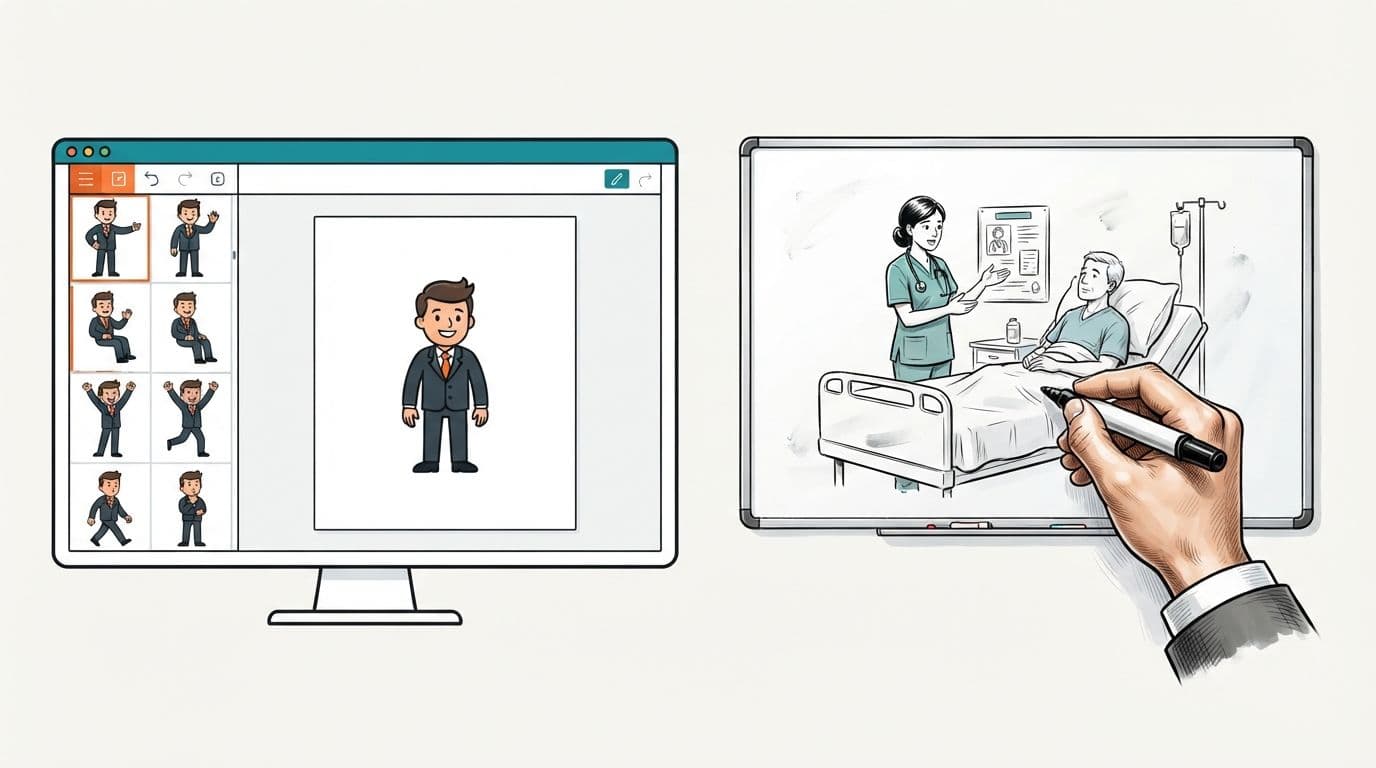
Then there’s the work. Doodly is a desktop app for Windows and Mac, and you build each scene by hand: drag a character onto the board, pick a pose, add props, set when each one draws. A 2-minute script runs about 300 words, which is roughly 20 scenes. The library is drawn by Doodly’s own artists (200 characters with 20 poses each, 20 backgrounds and hundreds of props), so it looks consistent. It also looks the same as every other Doodly video, and a topic the library doesn’t cover means hunting for a prop that’s close enough or drawing your own.
Reviews point at the business side more than the software. Doodly has a 3.8 on Trustpilot from about 2,300 reviews. Users praise how easy the editor is to learn; the complaints are about upsells after the first purchase, trouble cancelling, logins tied to Voomly, and slow email support. One editing complaint comes up too: insert a slide in the middle and the voiceover after it falls out of sync. Only 2 of those reviews are from the past 12 months, so most of what you read there describes older versions.
What you give up by leaving Doodly
A few things Doodly does are hard to find elsewhere, so check them against how you work before you cancel.
The biggest is the cast. Doodly’s characters come in 20 poses, so the same person can walk, point and celebrate across a whole video. VideoScribe, Animaker and Vyond have characters of their own; generators draw new people for every scene.
Board styles are next. Doodly draws on a whiteboard, blackboard, glassboard or greenboard, and exports green-screen animations for compositing. Most alternatives offer one or two of these.
Your own images move over fine. Doodly’s Smart Draw sets the draw path for an uploaded image, and every editor below accepts uploads too. In ShortsCrafter, the free image to whiteboard animation tool turns a PNG, JPEG or WebP into a clip of a hand drawing it.
Doodly also runs offline on your computer. Every alternative here works in a browser, and only VideoScribe also has a desktop app.
What you don’t give up is your scripts. They’re plain text, and you can paste them into any tool on this list.
The alternatives, one by one
ShortsCrafter: best for good-looking videos without building scenes
ShortsCrafter starts from a topic or your own script and hands back a narrated whiteboard video. It splits the script into one scene per sentence, draws an illustration for each scene, records the voiceover and times every drawing to its sentence. Generation takes 2 to 4 minutes on average. Paste the script from an old Doodly project and you get the video back without dragging a single character.
Each scene is drawn for what its sentence says, with characters who have expressions and a setting around them, so a video about bakery margins shows a baker at a counter instead of the nearest stock businessman. You pick one of four styles: minimalistic (a few clean lines and an icon), regular (detailed black-line scenes with a touch of color), colored (fully painted, hand-drawn scenes) or stick figure. A fifth option, mixed, lets the AI choose regular or minimalistic scene by scene.
Videos come in vertical 9:16 (30 to 60 or 60 to 90 seconds) for TikTok, Shorts and Reels, or horizontal 16:9 from 1 to 2 minutes up to 8 to 10 minutes. You choose a voice from the library or clone your own, add background music and pick the drawing hand. Once it’s generated, you can redraw any scene (and rewrite what it should show), add or delete scenes, and regenerate the voiceover before you render. Because each drawing is timed to its own sentence, editing one scene doesn’t mean re-timing the rest. Connect TikTok and YouTube and it posts on the schedule you set.
All four styles, voice cloning, background music and auto-posting come with every plan, and videos have no watermark. You can subscribe monthly or yearly, or buy a one-time credit pack (credits last 180 days), so you pay for the videos you make and nothing else. The pricing table has the numbers.
The trade-off is the cast. ShortsCrafter draws characters fresh for each scene, so there’s no single mascot that stays the same across a video the way a Doodly character does.
Golpo AI: best for documents and long explainers
Golpo is the other generator here. It takes a prompt, a script, a document or PDF, or an audio recording, narrates in more than 45 languages, and makes videos up to 10 minutes on its higher plans.
The cheaper plans leave a lot out. Starter ($39.99 a month, videos up to 2 minutes) is black and white only, and color starts at Growth, $199.99 a month. Vertical video starts at Creator ($99.99), and voice cloning at Business ($499.99). Pay as you go costs $3.99 to $7.99 per minute of video and includes color and cloning.
If you need color, vertical shorts and your own voice without a $500 plan, ShortsCrafter includes all three on every plan. If your source is a pile of PDFs and you need 10-minute explainers in several languages, Golpo is built for that.
VideoScribe: best if you want to keep building scenes
VideoScribe works the way Doodly does: you place images on a canvas, set their order and timing, and a hand draws them. The differences are that it runs in the browser as well as on desktop, its library is bigger (over 5 million images on Core and Max), and it has an AI image generator: 20 images a month on Lite, 50 on Core, 100 on Max. AI voiceover starts on Core.
Lite costs $150 a year with 5 downloads a month and videos up to 5 minutes, which is cheaper than Doodly’s $490. It won’t save you time per video. You still place and time every scene.
Powtoon: best free plan to try the format
Powtoon is a browser editor built on templates, with whiteboard as one of several styles. The free plan exports up to 3 minutes at 720p with a watermark. Lite costs $15 a month billed yearly and gives 5 watermark-free 1080p exports a month. Its AI features (script drafts, images, text to speech) run on credits.
It suits teams who make several animation styles and only need whiteboard now and then.
Animaker: best cheap all-rounder
Animaker is a drag-and-drop animation editor with templates, characters and a whiteboard mode. The free plan exports with a watermark. Basic costs $27 a month or $180 a year, with 5 premium HD downloads a month and videos up to 5 minutes.
If what you liked about Doodly was the characters, Animaker has its own and costs $180 a year. Building a video takes as long as it did in Doodly.
Vyond: best for corporate training
Vyond is a business animation suite with characters, lip sync and a whiteboard style. It exports 16:9, 9:16 and 1:1 at 1080p. Starter is $99 a month or $699 a year for one user, and voice cloning is only on the Enterprise and Agency plans.
Choose it when a training team needs talking characters and several video styles in one place. For whiteboard alone, it costs more than Doodly.
Which one to pick
- You publish often (a faceless channel, weekly lessons, product explainers) and want each video to look good without posing characters: ShortsCrafter.
- You turn long documents into 10-minute videos in several languages: Golpo, on a plan that includes color.
- You like building scenes and only want to pay less or work in a browser: VideoScribe.
- Your videos depend on recurring characters: Animaker, or Vyond if you need lip sync.
- You want to try whiteboard without paying: Powtoon’s free plan.
For a wider comparison with Doodly still in it, see the best whiteboard animation software. If you’re weighing software against hiring a freelancer, how much whiteboard animation costs lays the options side by side.
Before you cancel Doodly
- Render the projects you’ll still need to MP4 while you have access. The MP4 is the copy you can use anywhere.
- Copy the scripts out of your best-performing videos. They’re the part you can reuse anywhere.
- Run one of those scripts through your shortlist with the same voice and length, and time the hands-on work, not the rendering.
- Change one sentence in the middle of each finished video. In an editor that means a new scene and checking the audio after it; in a generator it means redrawing one scene.
- Export in the format you post (9:16 for Shorts and Reels) and check the file for watermarks and resolution.
- Check Voomly’s billing page after cancelling. Several Trustpilot reviewers say they were charged after a trial or a cancellation attempt, so keep the confirmation email.
To see how ShortsCrafter draws before you generate a full video, try the free whiteboard animation maker: describe a picture or upload one, and a hand draws it on the board in a 5 to 25 second clip.
FAQ
Is there a free alternative to Doodly?
Powtoon and Animaker have free plans, both with watermarks; Powtoon’s free exports are 720p and up to 3 minutes. VideoScribe has a 7-day trial with 3 watermarked downloads. To see ShortsCrafter’s drawing for free, use its whiteboard animation maker, which draws any picture you describe or upload as a short clip.
Is Doodly a one-time purchase?
Not anymore, as far as its pricing page shows. Doodly’s homepage still advertises a $67 one-time deal, but the pricing link goes to Voomly, where Doodly is part of Voomly Cloud at $49 a month or $490 a year, with a 14-day trial and a 30-day refund window.
Does Doodly have AI?
Its website doesn’t mention AI drawing or script writing. Talkia, which comes in the Voomly bundle, does text-to-speech voiceovers. Smart Draw, which sets draw paths for your own images, isn’t AI.
What is the closest alternative to Doodly?
VideoScribe. It works the same way (you place and time each image), costs less per year, runs in the browser too, and adds AI images. If you want the video made for you instead, look at ShortsCrafter or Golpo.
What’s the difference between Doodly and Toonly?
Both come from the same company and are in the same Voomly bundle. Doodly makes hand-drawn whiteboard videos; Toonly makes cartoon explainer videos with its own characters and backgrounds. Switching between them doesn’t change how much work a video takes.