Best AI Stick Figure Animation Generators


Stick figure videos look like anyone could make them, until you try posing a figure frame by frame for a few minutes of story. The best AI stick figure animation generators do that part for you, turning a script into a narrated video with each drawing timed to the voice. Other tools in this space animate one short clip at a time, and the classic stickman makers still leave every pose to you, which remains a good way to learn the craft. This post compares all three kinds on how much of the video they make, how long it can run and what it costs.
Create viral faceless shorts in minutes
Pick a niche, customize the style and let AI write, voice and publish your videos on autopilot.
Key takeaways
- Count scenes before you pick a tool. A 6 to 8 minute video has 950 to 1,100 words of script, which is 73 to 85 scenes at one picture every 13 words.
- Script-to-video generators (ShortsCrafter, Crreo, Clippie, Hooked, Atlabs, Golpo) handle those scenes in one pass. Clip tools make you prompt, download and place each one.
- Plan limits decide more than feature lists. Atlabs’ $19 plan stops at 2 minutes, Golpo’s $39.99 plan stops at 2 minutes, and Crreo allows 10 minutes for $15.
- Motion is where credits go. Hooked says the same monthly credits buy about 29 minutes of image-based video or 47 seconds of Veo 3.1.
- Pivot Animator is still the best free way to learn stick figure animation. At 12 frames per second, though, a 7-minute video is 5,040 frames.
AI stick figure generators compared
Prices were checked on each vendor’s site in November 2026.
AI stick figure generators compared
Stick figure clip tools and manual animation makers
Stick figure clip tools and manual animation makers
Why scene count decides which tool you need
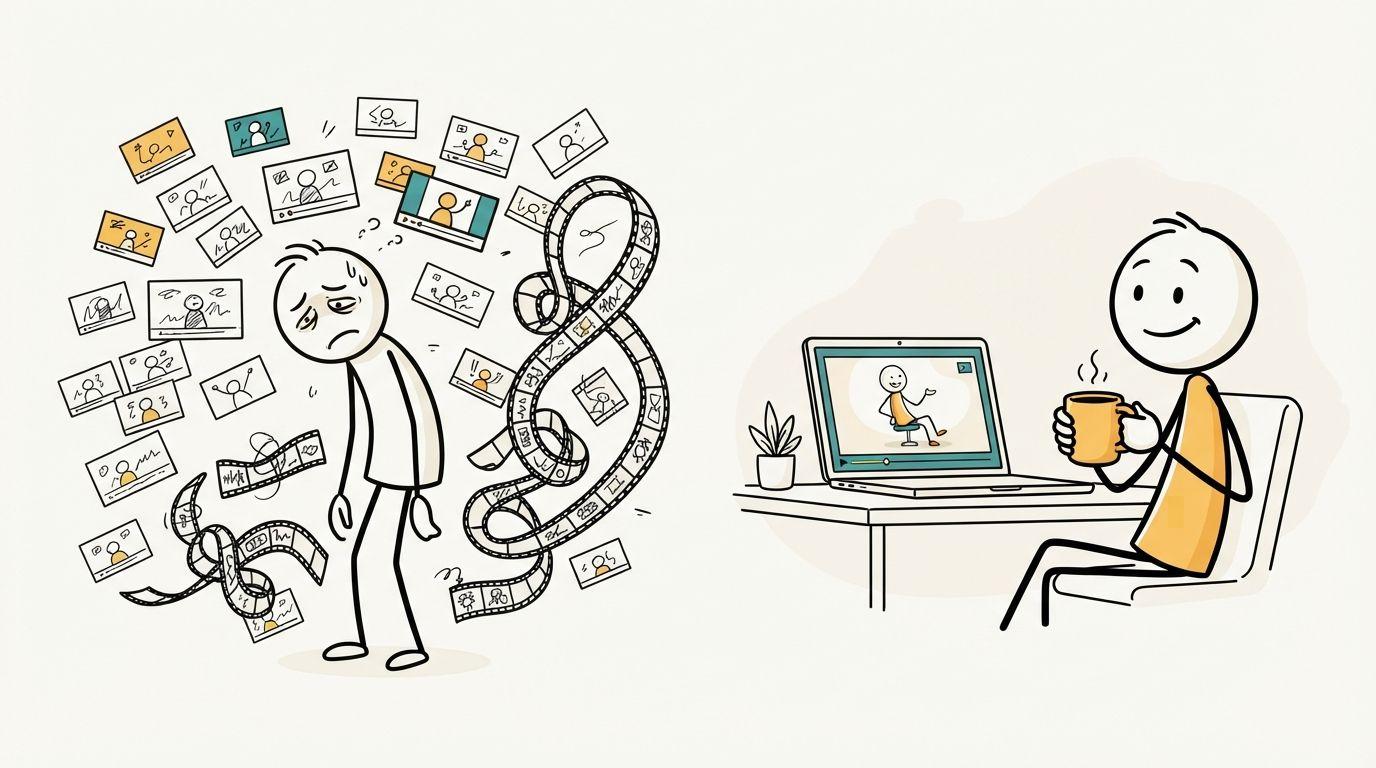
Every tool on this list sits in one of three camps, and the length of your video picks the camp for you.
A generator takes a topic or a script and returns a narrated video. You fix what you don’t like afterward.
A clip tool makes one moving shot from one prompt. FlexClip’s stick figure guide has you generate an image, animate it, repeat for every scene, then assemble the scenes on a timeline and add the voice. It’s a pleasant way to make 15 seconds of something. The same guide says nothing about keeping a character looking the same from clip to clip, which is the first thing to break across 80 of them.
The free version of the clip route is a chain of four products. A popular method summarized on SozAI uses ChatGPT for the script, Google Flow for characters and clips, ElevenLabs for the voice and CapCut for the edit. The tutorial says Flow’s free plan stops at three videos a day, so one clip per scene means 27 days of generating for an 80-scene video. Its workaround is switching Google accounts. ElevenLabs’ free plan has 10,000 credits a month, and a commercial license starts on the $6 Starter plan.
A manual maker gives you a figure and a timeline. The numbers there are worse still, because you’re posing frames instead of prompting scenes. Twelve frames per second is a modest rate, and it comes to 5,040 frames for 7 minutes. In-between tools cut that down, but you still set every key pose yourself.
The generators
ShortsCrafter: best for regular uploads
The Stick Figure Video Generator starts from a one-line topic, a niche or a script you paste in. It splits the script into scenes, draws a stick figure picture for each one, records the voiceover and times the captions word by word. At Regular pacing a new picture appears every 13 words, or about every 5 seconds. Fast uses 7 words and Slow uses 18.
There are two looks. Stick Figure has flat colors and an expressive face on every character. Stick figure v2 is plainer, with a mostly white canvas and sparse color. Every person in a scene is drawn as a stick figure, named historical figures included, and recurring characters keep one or two simple markers, such as a gray beard or a colored coat.
Vertical videos run 30 to 60 or 60 to 90 seconds. Horizontal ones run from 1 to 2 minutes up to 6 to 8 minutes, in nine languages. After it’s generated you can redraw any scene, and Add motion animates whichever scenes you choose for extra credits, so you can move the opening shot and leave the talking parts as drawings.
Writing the script is free and doesn’t need an account. Once you’ve saved it, the Style step shows what the video will cost before you generate anything. Every plan includes voice cloning, background music, video download and auto-posting to TikTok and YouTube, with no watermark. You can pay monthly or yearly, or buy a one-time credit pack on the pricing table.
The trade-off is control. You direct through the script and each scene’s image prompt, so you can’t pose a figure by hand or nudge a prop across the frame.
Crreo: best for long videos on a small budget
Crreo has a stickman style and takes a pasted story or an idea, then generates the video with AI voices in more than 80 languages. Its pricing page is unusually clear about the math: a one-minute video costs roughly 500 credits. The $15 Start plan has 15,000 credits, so about 30 minutes a month, at 720p, with videos up to 10 minutes. That’s four 7-minute videos. Full HD starts on the $60 Pro plan, and only the $120 Ultra plan reaches 30 minutes.
The free plan gives you 500 credits once, with a watermark and a 30-second limit.
Clippie: best for choosing between stickman looks
Clippie offers five stickman templates: Bare, Caveman, Doodle explainer, Painted and Classic. You paste a script or have its writer draft one of up to 10 minutes, then it draws the scenes and adds captions.
Stills can zoom and pan for free. Animating them starts at 7 credits for a 5-second clip, so animating all 80 scenes of a 7-minute video would use about 560 of the 800 credits on the $19.99 Lite plan. Lite also includes 1 hour of AI voice and 1 custom voice. Clippie says the editor opens only after you’ve picked a plan.
Hooked: best for short vertical clips
Hooked is a general short-video product with a Stickman preset that locks the line-art look across clips. It adds ElevenLabs voices and word-level captions and exports 9:16, 16:9 or 1:1.
The script box on its stickman page counts up to 2,000 characters, roughly 2 minutes of narration, so treat it as a tool for Shorts and Reels. Its Pro plan is $29 a month for 1,000 credits, which Hooked says is about 29 minutes of AI-image video or 47 seconds of Veo 3.1. That gap is the reason to stay on images unless a scene needs real movement.
Atlabs: best for stories with a cast
Atlabs’ Stick Style goes further into production than the others. After the script you set a narrator, characters, objects and locations, then review a screenplay scene by scene. A preview renders the first 25 seconds before you commit to the full video.
The catch is plan length. Lite, at $19 a month, stops at 2 minutes and 720p and has limited character consistency. A 7-minute video needs Plus, at $79 a month or $59 billed yearly, and its 9,000 credits a year cover 84 to 120 minutes of video by Atlabs’ own estimate.
Golpo: best for whiteboard explainers
Golpo is a whiteboard generator, and stick figures are something you ask it for: write a strict video instruction, upload a drawing as a custom style, or define recurring characters. If your channel mixes stick figures with other whiteboard styles, that flexibility helps. Our whiteboard software comparison covers that side.
Length is expensive on its plans. Starter is $39.99 a month for videos up to 2 minutes, vertical video starts on the $99.99 Creator plan, and 10 minutes takes the $499.99 Business plan. The free preview is one 1-minute watermarked video you can’t download.
Clip tools
FlexClip is a good fit if you already edit in it and want a stick figure moment inside a bigger video. It has text to speech and automatic subtitles in the editor, and you do the assembly yourself.
Vidnoz’s image-to-video tool animates a stick figure you upload, from a text description or a preset effect. Use it to make a GIF or a short loop from a drawing you like. Its stick figure page doesn’t describe a script-to-video route.
Free and paid stickman animation makers
Manual makers are the right choice when the animating is the fun part. If your goal is a channel, skip this section.
Pivot Animator is the classic: freeware for Windows, built around figures made of fixed-length sticks that you pose frame by frame. Version 5 needs Windows 10 and a GPU, and it exports GIF, MP4 and other video formats. Onion skins and frame in-betweening make it far less tedious than it was.
Stick Nodes does the same job on Android and iOS, with automatic frame tweening. The free version exports GIF and may show ads. Pro is a one-time payment that adds MP4 export and removes the ads and watermark.
Stick Studio Pro runs in a browser. You drag a figure’s joints and snap each frame. The free plan exports at 480p, and Pro is $4.99 a month or $39 a year for 1080p and more layers. It exports WebM, so check that your editor reads it.
All three leave the script, voice and captions to you.
How to choose
- You upload on a schedule and want vertical and horizontal videos from the same tool: ShortsCrafter.
- You want videos longer than 8 minutes at a low price: Crreo.
- You want to compare several stickman looks before committing: Clippie.
- You only make Shorts and Reels and already use Hooked’s other formats: Hooked.
- Your story depends on a cast of recurring characters and you’ll pay for the Plus plan: Atlabs.
- You want one 15-second moment inside another video: FlexClip or Vidnoz.
- You want to learn how animation works: Pivot Animator.
How to test a stick figure generator
Generators look alike on their landing pages, and the differences show up in a real script. To try ShortsCrafter, paste a topic into the Stick Figure Video Generator and read the script before you spend anything. For any tool on your shortlist, run the same check:
- Write about 120 words with one recurring character who has a simple marker, such as a red cape. Mention them in at least five sentences.
- Include one animal. Image models tend to stand anything called a stick figure on two legs, so see whether the dog stays a dog.
- Change one sentence after the video is done. Note what you have to redo and what it costs.
- Multiply the credits used by the length you actually plan to publish. A plan that looks cheap at 60 seconds can run out after two videos at 7 minutes.
FAQ
What is the best free stickman animation maker?
Pivot Animator, if you’re on Windows. It’s free and exports video. On a phone, Stick Nodes has a free version with GIF export, and Stick Studio Pro has a free 480p plan in the browser.
Is there a free AI stick figure video generator?
ShortsCrafter lets you write the script for free without an account, and generating the video uses credits. Crreo’s free plan gives you 500 credits once, for watermarked videos up to 30 seconds, and Golpo has one watermarked preview you can’t download.
Which AI stick figure generator is best for YouTube?
Check the length limit first. A 6 to 8 minute script won’t fit the box on Hooked’s stickman page or the entry plans at Atlabs and Golpo. ShortsCrafter, Crreo and Clippie all handle that length on their cheapest paid plans. Our faceless YouTube channel guide covers the rest of running a channel.
Can ChatGPT make stick figure animations?
It can write the script and generate single images. Turning those into a narrated video takes other tools, which is why the popular free method chains ChatGPT with Google Flow, ElevenLabs and CapCut.
How many drawings does a stick figure video need?
At one picture every 13 words, a 60 to 90 second Short needs about 14 and a 6 to 8 minute video about 80. Faster pacing nearly doubles that.
Do stick figure videos need motion?
No. A new drawing every 5 seconds already changes what the viewer is looking at. Save motion for fights, chases and the opening shot, since it’s usually what burns through credits.