How to Make Stick Figure Animations with AI


A stick figure is a circle and a few lines, and with a good voice behind it, that’s enough to tell almost any story. You can now make stick figure animations with AI from a script alone, where the same video once meant drawing every frame by hand. With so little on screen, viewers listen closely and fill in the rest themselves, which is why the style suits history questions, odd science facts and dark little jokes. This guide covers the steps from idea to finished video, and how to write a script the AI can draw.
Create viral faceless shorts in minutes
Pick a niche, customize the style and let AI write, voice and publish your videos on autopilot.
Key takeaways
- A generator can draw, voice and time a stick figure video for you. The script is the part that still decides whether it’s any good.
- A 6 to 8 minute video needs 950 to 1,100 words and about 80 pictures at regular pace.
- Write sentences you could sketch. “A farmer counts his last three coins” draws well; “times were economically difficult” doesn’t.
- Give each recurring character one or two simple markers and repeat the same words every time. Skin tone and eye color push the image model toward drawing a real person.
- Motion is optional. A new drawing every 5 seconds already gives the viewer something new to look at, so spend motion credits on the scenes that need it.
- YouTube can monetize AI stick figure videos, but it refuses series that repeat one template.
Two ways to make a stick figure video with AI
Most tutorials on this topic chain separate tools together. FlexClip’s guide goes from image generator to image-to-video to its editor. A popular free method summarized on SozAI uses ChatGPT for the script, Google Flow for characters and clips, ElevenLabs for the voice and CapCut for the edit.
That chain gives you control over every clip, and it’s a good way to make one 30-second test. It gets painful at YouTube length, because a 7-minute video is about 80 scenes and each one is its own prompt, download and spot on a timeline. The free tiers run out fast as well. The SozAI tutorial says Google Flow’s free plan stops at three videos a day. ElevenLabs’ free plan has 10,000 credits a month, and the commercial license first appears on the $6 Starter plan.
The other route is a script-to-video generator that does everything after the script in one pass.
Two ways to make a stick figure video with AI
How to make a stick figure animation with AI, step by step
These steps use ShortsCrafter’s Stick Figure Video Generator, where the stick figure style is already selected. Other generators ask you to set it up: Golpo has you paste a stick figure rule into its video instructions, and Crreo has you type a custom style.
- Write the script. Pick a niche or type a one-line topic and AI drafts it, or switch to Use your text and paste your own. Choose the language, the length and vertical or horizontal. This step is free and doesn’t need an account.
- Rewrite the draft using the rules in the next section, then save it to a free account.
- Pick the look. Stick Figure gives you flat colors and an expressive face on every character. Stick figure v2 is plainer: a mostly white canvas, sparse color and neutral faces unless the action calls for an expression.
- Choose a voice from the library or clone your own, then set captions, music and pacing. The Style step shows what the video will cost before you generate anything.
- Generate the scenes. The script is split into scenes and each one gets its own drawing, matched to what the narrator is saying at that moment. Videos take 2 to 4 minutes to generate on average.
- Review the preview. Regenerate any scene that’s wrong, rewriting its image prompt if you need to, then export the MP4.
Here are two videos made this way, each from a single script.
Write a script the AI can draw
Read the top guides for this keyword and you’ll find tool lists and character sheets. The script, which decides more of the final video than either, gets a line or two at best. FlexClip’s guide doesn’t mention one at all. In the SozAI method, ChatGPT writes it and it goes straight into the voice tool.
The image model only knows what the sentence gives it. Ask yourself whether you could sketch each line on a napkin. If you can’t, the model will guess, and its guess is usually a stick figure standing in an empty room looking thoughtful.
Write a script the AI can draw
The fixes are small. Replace abstract nouns with a person doing something. Keep to one action per sentence, because a stick figure scene holds very few objects and a sentence with three events will lose two of them. Open with the most surprising fact or question, since that first picture has to earn the next one.
Here’s the opening of a psychology video written this way, split roughly as a regular-pace video would split it. The facts come from the spotlight effect study by Thomas Gilovich and his colleagues.
Write a script the AI can draw
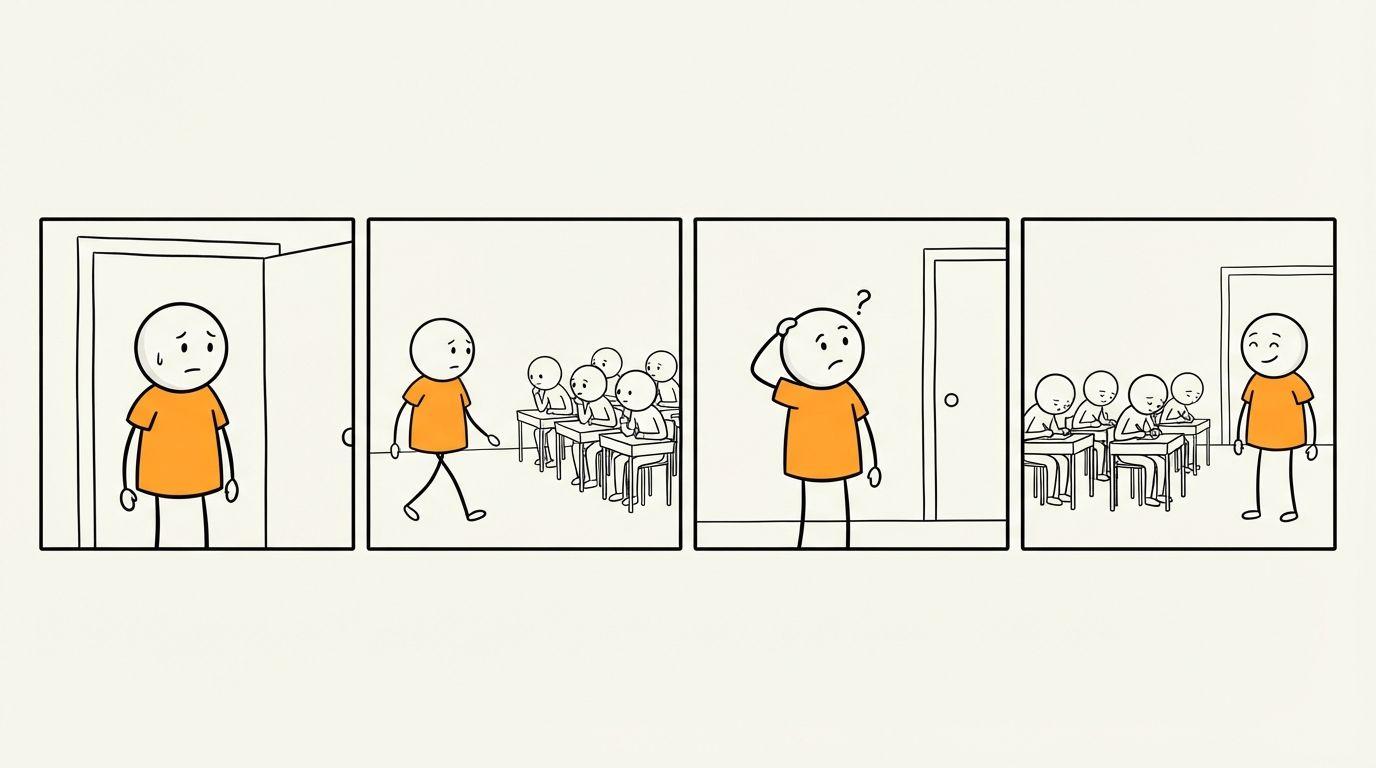
Check the facts if AI wrote the draft. Nothing in the chatbot-and-paste workflows catches a wrong date, and on a history or science channel your viewers will. A stick figure video has nothing else to hide behind: the drawings are simple, so the viewer is listening closely. The whiteboard script guide goes deeper on structure, and most of it applies here.
Keep the same character in every scene
Character drift is the problem these guides do address, usually with reference images and character sheets. Stick figures need less than that. They have almost no features to keep consistent, so a recurring character is really just a marker.
Give each person one or two flat details when they first appear: a gray beard, a red cape, a tall hat, a sword. Then use the same words every time. “The king in the red cape” should stay “the king in the red cape”, because switching to “the monarch” or “the ruler” a few lines later gives the model less to hold onto.
Two things go wrong often enough that ShortsCrafter’s own image prompts have rules against them.
Detailed appearance backfires. Describing skin tone, eye shape, hair texture or clothing fabric tends to make the image model draw a regular person, so those details get stripped down to simple markers. Leave them out of your script and you’ll have less to fix.
Animals are the other trap. Image models draw anything called a stick figure as an upright, two-legged body, so a “stick figure dog” can come back standing like a person. Write “a dog” and let only the people be stick figures.
Named people work fine. Socrates can be an old stick figure with a gray beard and a pale robe, and viewers will accept it.
How long your script should be
Length is set by the script, and the number of pictures follows from the words per scene. At the usual narration speed of about 150 words a minute, Regular pacing changes the picture about every 5 seconds, Fast about every 3 and Slow about every 7.
How long your script should be
Scene counts are the word counts divided by words per scene, so treat them as estimates. Slow pacing uses 18 words per scene.
Regular is the right default for YouTube explainers. Fast costs extra credits and suits Shorts, where one idea has to hold attention for under a minute and a half. Use Slow for calm topics like philosophy or parables, where the viewer needs a moment with each line.
When to add motion
Most tutorials treat image-to-video as a required step. It isn’t. Add motion is charged per scene, so an 80-scene video multiplies that cost by 80.
Each scene already changes with the narration. What motion adds is movement inside the picture, and that matters when the action is the point: a fight, a chase, someone falling off a cliff. A scene of a stick figure thinking gains nothing from it.
You can turn on Add motion for the whole video in the Scenes step, or add it to single scenes in the preview. Start with the single-scene route, on your opening shot and the two or three moments the video builds to. Costs are on the pricing table, as a monthly or yearly subscription or a one-time credit pack.
Before you upload to YouTube
The drawings won’t get you in trouble with YouTube. Sameness might. Its monetization policies don’t ban AI, and they list using AI to edit scripts as fine. What they exclude is mass-produced work, including “AI-generated content made with generic or unoriginal templates”. They also name videos where characters land in the same situation with the same outcome again and again, which is an easy trap for a recurring stick figure series. Give each video its own storyline and a point of view you’d defend.
You don’t need the AI label for this style. YouTube’s disclosure rules apply to realistic content, and non-realistic animation is exempt, as is AI help with a script. The faceless channel guide covers the rest of running a channel.
If you have a topic in mind, paste it into the Stick Figure Video Generator and read the script before you make anything. You’ll know in a minute whether each sentence can be drawn.
FAQ
Can I make stick figure animations with AI for free?
You can write the script for free in ShortsCrafter’s generator, without an account. Turning it into a video uses credits, and you see the cost before generating. Fully free methods exist using the free tiers of Google Flow, ElevenLabs and CapCut, but they have daily limits and take far longer per video.
Do I need to know how to draw or animate?
No. The generator draws every scene from your script. The skill that matters is writing sentences that describe something visible.
How do I keep the same stick figure in every scene?
Give the character one or two simple markers, like a red cape or a gray beard, and use the same words for them every time they appear. Avoid detailed descriptions of faces and skin.
How many pictures does a stick figure video need?
At one picture every 13 words, a 60 to 90 second Short needs about 14 and a 6 to 8 minute video about 80. Faster pacing nearly doubles that.
Can the stick figures actually move?
Yes. Each scene starts as a drawing that changes with the narration, and Add motion animates the scenes you choose. It uses extra credits per scene.
Can you monetize AI stick figure videos on YouTube?
Yes, if the channel meets the Partner Program requirements and each video is original. YouTube refuses content that looks mass-produced from a template, so vary the story and angle from video to video.
Do I have to label stick figure videos as AI on YouTube?
No. The label is for realistic content that could mislead viewers. Non-realistic animation doesn’t need it.