Whiteboard Explainer Video: What It Is and How to Make One


A whiteboard explainer video is a short narrated video where a hand draws each idea on a white background as the voice explains it. Businesses use whiteboard explainer videos to show what a product does in a minute or two, and teachers and faceless YouTube channels use them to explain a topic without filming anything. This guide covers what the format is good at and where it falls flat, how long yours should run, what it costs to make, and the steps from a blank page to a finished video, done by hand or with ShortsCrafter.
Create a whiteboard video in minutes
Turn any idea into a hand-drawn whiteboard animation with script, voiceover and drawing done for you.
Key takeaways
- A whiteboard explainer is narration plus drawings that appear as the words are spoken. The drawing is the visual; there’s no footage, no presenter and no product UI.
- It works best for ideas you can’t film: a process, a cause and effect, a before and after, an abstract concept.
- Skip it when viewers need to see your real product, your app’s screens or a place.
- Most marketing explainers run 40 seconds to 2 minutes. Lessons and training videos can go longer. At about 150 words a minute, a 90-second video needs a script of roughly 225 words.
- Published agency and studio prices run from about $1,000 to $20,000 per finished minute. Software and AI tools cost a monthly subscription and your time.
- The script decides whether the video works. Plan one drawing per sentence, and cut any sentence you can’t picture on the board.
What a whiteboard explainer video is
An explainer video is any short video that explains one thing: a product, a service, a process, an idea. A whiteboard explainer is the version where the visuals are drawn. A hand (real or animated) sketches a picture for each sentence of the narration, the board fills up, and then it wipes or moves on to the next scene.
The format started with artists drawing on a real whiteboard while a camera filmed from above, with the footage sped up and laid under a voiceover. Today most whiteboard explainers are made in software. The drawings are digital, and the hand is an animated overlay that traces each line. Broadcast2World lists several variations, from plain black-on-white sketches to colored, watercolor and paper cut-out styles, plus hybrids that mix drawings with live footage.
Compared with other explainer formats:
What a whiteboard explainer video is
The whiteboard version is the plainest of the four, and that’s the reason it works for explanations. Nothing moves on screen except the line being drawn, so the viewer’s eye goes where the voice is.
Why the format holds attention
People keep watching a drawing until they know what it’s going to be. Three lines become a house, the house gets a dollar sign, and by then the narrator has explained the mortgage. A whiteboard explainer uses that curiosity on every sentence.
There is some research behind it. In a 2025 experiment with 521 participants, Mark Brosnan and Tim Hasso taught introductory accounting concepts in five ways: whiteboard animation with narration, narrated slides, narration alone, text alone, and nothing. The whiteboard group did best on both learning and how they felt about the lesson, and the gap in what they remembered was still there a week later. That’s one study on one subject. It says whiteboard is a good way to teach; it says nothing about whether your video will sell.
The plainness also helps the person making it. A whiteboard scene is a few objects and maybe a stick figure, so a change to the script means redrawing one small picture, not reanimating a character.
When to use a whiteboard explainer
The format fits when the thing you’re explaining is easier to draw than to film. It works the same way for a business and for a teacher; what changes is the job the video has to do.
For businesses and marketers
The most common use is the homepage or landing page explainer: one to two minutes on the problem your customer has, what your product does about it, and what happens after they sign up. Viewers get the idea before they reach your feature list.
Whiteboard is strongest for products that are hard to show. Software that runs in the background, insurance, a financial product or a service with no physical form all look dull on screen. A drawing of invoices flying out of a laptop on their own says more than a screenshot of a settings page.
Sales and onboarding teams use shorter versions: a video a salesperson sends after a call, or one new customers watch before their first login. Training is the other big one. Policies and step-by-step processes that nobody reads in a PDF get watched as a video, and these can run longer than marketing videos because the audience has to sit through them anyway.
For creators and educators
Teachers and course makers use the format the way they’d use a real board: the concept gets drawn step by step while they explain it, and nothing appears before the voice gets to it.
Faceless YouTube, TikTok and Shorts channels use it to publish without a camera or footage. Topics built on a question draw well (why saving money feels so hard, how a vaccine trains your immune system, why the Roman Empire split), because each step of the answer is a new picture. For social feeds the video is usually 30 to 60 seconds and vertical, with a new drawing every few seconds.
When to pick something else
Skip the whiteboard if the viewer needs to see your real product, your app’s screens or real people. A screen recording or live footage does that better. The same goes for a brand film that has to win on mood and color, and for a 6-second ad: by the time the hand finishes the first drawing, the ad is over.
How long a whiteboard explainer video should be
Shorter is easier to finish watching, but the length has to fit the idea. VideoScribe recommends about 40 seconds for an explainer. Yum Yum Videos suggests 1 to 2.5 minutes for marketing and sales, and longer for training. Across 1,368 whiteboard videos in Broadcast2World’s benchmark, the median length was 112 seconds.
Most narrators read at 150 to 160 words a minute (Broadcast2World), so the script length follows from the video length. At 150:
How long a whiteboard explainer video should be
If your script is longer than the row you picked, cut sentences before you cut pace. A narrator who rushes leaves the hand no time to finish its drawings.
How to make a whiteboard explainer video
Every whiteboard explainer goes through the same steps, whether you draw it yourself, build it in software or generate it. The full manual process, with tools and filming tips, is in our guide on how to make a whiteboard animation. Below are the steps, with what changes when the video is an explainer.
- Write the script. A business explainer usually goes problem, solution, how it works, next step: name the viewer’s problem in the first sentence, bring in the product as the fix, show the two or three steps it takes, and tell them what to do next. A lesson or channel video works better as a question the video answers, with one concrete example in the middle. Write one idea per sentence. Our guide to writing a whiteboard animation script covers this step in detail.
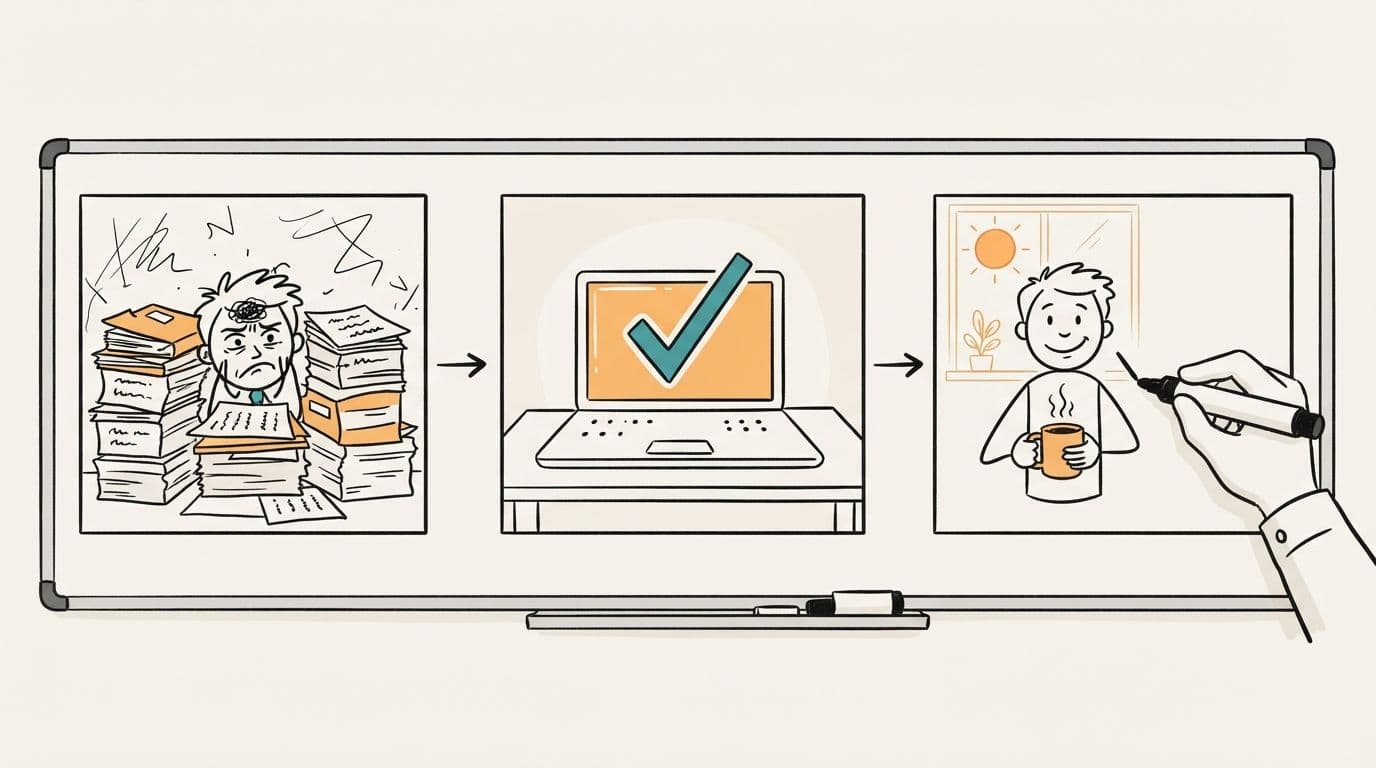
- Plan a drawing for every sentence. Put a second column next to the script and write what the hand draws: a stack of paper for “manual invoicing”, a clock for “hours every week”, a laptop with a check mark for the product. If you can’t think of a drawing, the sentence is probably too abstract. Rewrite it.
- Make the drawings. You can draw on a real board and film it, place images in whiteboard software such as VideoScribe or Doodly, or let an AI tool draw each scene from its sentence.
- Record the voiceover before you time anything, because the voice sets the pace. A calm, clear read beats a dramatic one; the drawings carry the energy.
- Sync the drawings to the voice. Each drawing should finish as the narrator says the word it shows. By hand, this takes longer than any other step.
- Add music and captions. Keep the music well under the voice. Turn captions on, since a lot of people scroll social feeds with the sound off.
- Export at 1920×1080 for a website or YouTube, or 1080×1920 for vertical feeds.
Making one with ShortsCrafter
ShortsCrafter does steps 2 through 6 for you. You bring the idea or the script and make the choices.
- Start with a script or an idea. Paste your own script (at least 300 characters), type a rough idea and get a title back, or pick a niche and let ShortsCrafter choose a topic. If you don’t bring a script, it writes one.
- Pick the shape and length. Vertical videos come in 30 to 60 or 60 to 90 seconds. Horizontal ones run from 1 to 2 minutes up to 8 to 10 minutes, which covers everything from a homepage explainer to a full lesson.
- Choose the look and sound: one of four art styles (minimalistic, regular, colored or stick figure), a voice from the library or your own cloned voice, and background music.
- Generate the video. It takes 2 to 4 minutes on average. ShortsCrafter splits the script into one scene per sentence, draws each scene, records the narration and times every drawing to its sentence.
- Fix what you don’t like. The preview lets you redraw a scene’s picture, add or delete scenes, regenerate the voiceover and turn on subtitles. Then render.
- Download the video, or connect TikTok and YouTube and schedule it.
What a whiteboard explainer video costs
Price depends mostly on who does the drawing and the timing. Published figures from studios and vendors:
What a whiteboard explainer video costs
An agency is worth it when you need custom illustration of your exact product, a brand’s own characters, and someone else managing revisions. If you publish often, test several versions of a message, or make lessons every week, paying per minute adds up fast, and software or an AI generator makes more sense.
FAQ
What is a whiteboard explainer video?
It’s a short video where a hand draws simple pictures on a white background while a narrator explains a product, process or idea. Each sentence of the script gets its own drawing.
How long should a whiteboard explainer video be?
For marketing, 40 seconds to 2 minutes. For social feeds, 30 to 60 seconds. Lessons and training videos can run 3 to 10 minutes, as long as each scene still adds a new drawing.
How much does a whiteboard explainer video cost?
Published agency and studio prices run from about $1,000 to $20,000 per finished minute. Custom illustration and a filmed artist sit at the top of that range. Doing it yourself in software or with an AI tool costs a subscription.
Are whiteboard explainer videos effective?
They’re good at teaching. In a 2025 study with 521 participants, people who learned from a narrated whiteboard animation learned and remembered more than people who got narrated slides, audio or text, and the difference held for a week. Whether a video sells depends more on the script than on the format.
What’s the difference between a whiteboard explainer and an animated explainer?
A whiteboard explainer is drawn line by line on a plain background, usually with a visible hand. A 2D animated explainer uses full-color scenes and characters that move. Whiteboard is cheaper to produce and easier to change; 2D animation does more for mood and brand.
Can I make a whiteboard explainer video without drawing?
Yes. Whiteboard software lets you place ready-made images that the program “draws”, and AI tools like ShortsCrafter create the drawings, voiceover and timing from your script.